

















自定义 Jackson 配置:支持 LocalDateTime 日期 API
自定义 Jackson 配置:支持 LocalDateTime 日期 API
本小节中,我们将为认证服务自定义 Jackson 配置,以支持 Java 8 中新的日期 API 。
1. 不支持 LocalDateTime 问题演示
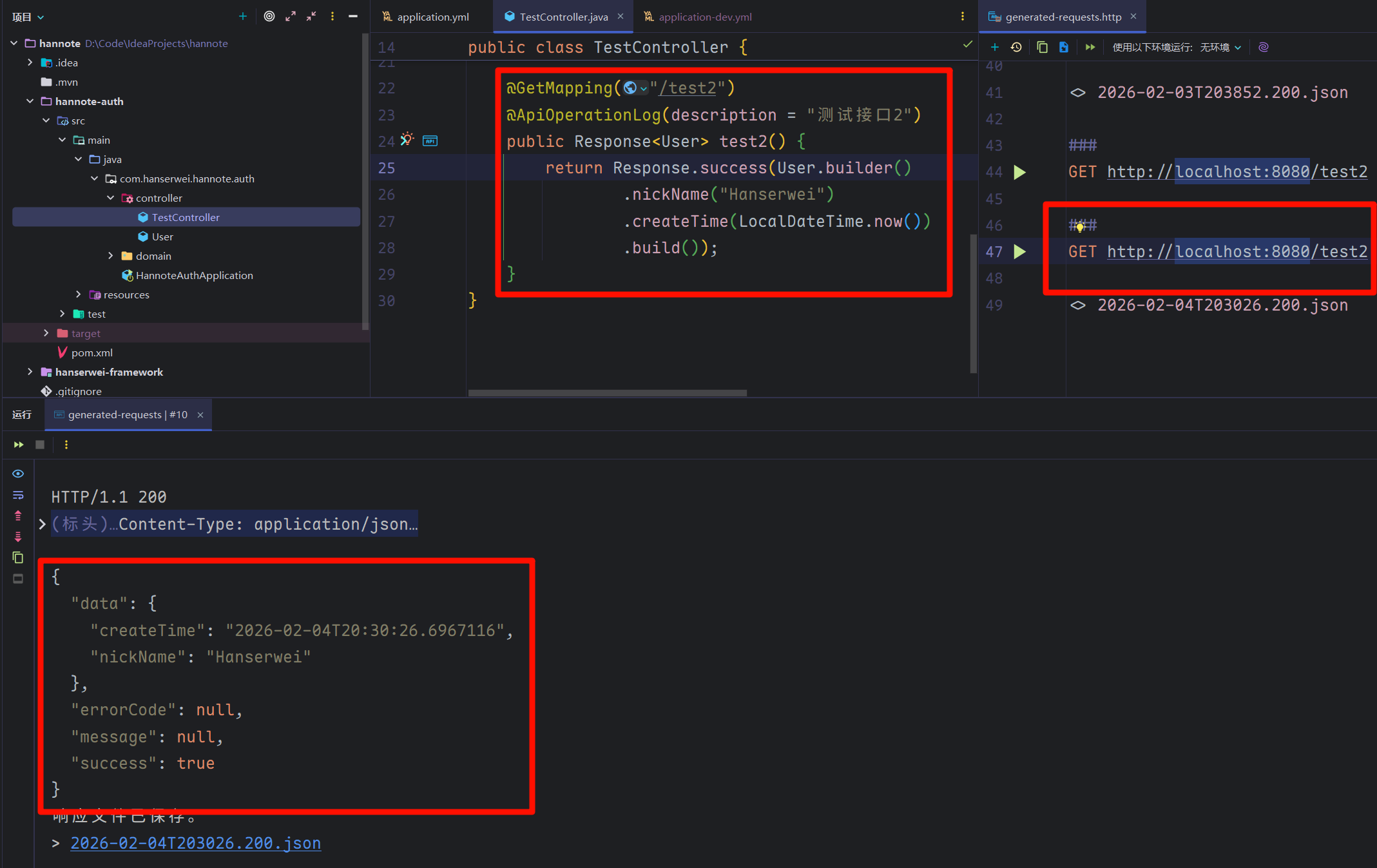
注意这里返回的时间类型并不是我们在前面设置的时间日期格式,其次如果我们按照我们先前设置的格式作为入参,同样也无法反序列化,这个我们可以做一下实验!
假设我们想让 /test3 接口支持传入参数 User 实体类,代码如下:
@PostMapping("/test3")
@ApiOperationLog(description = "测试接口3")
public Response<User> test2(@RequestBody User user) {
    return Response.success(user);
}
然后发送请求:
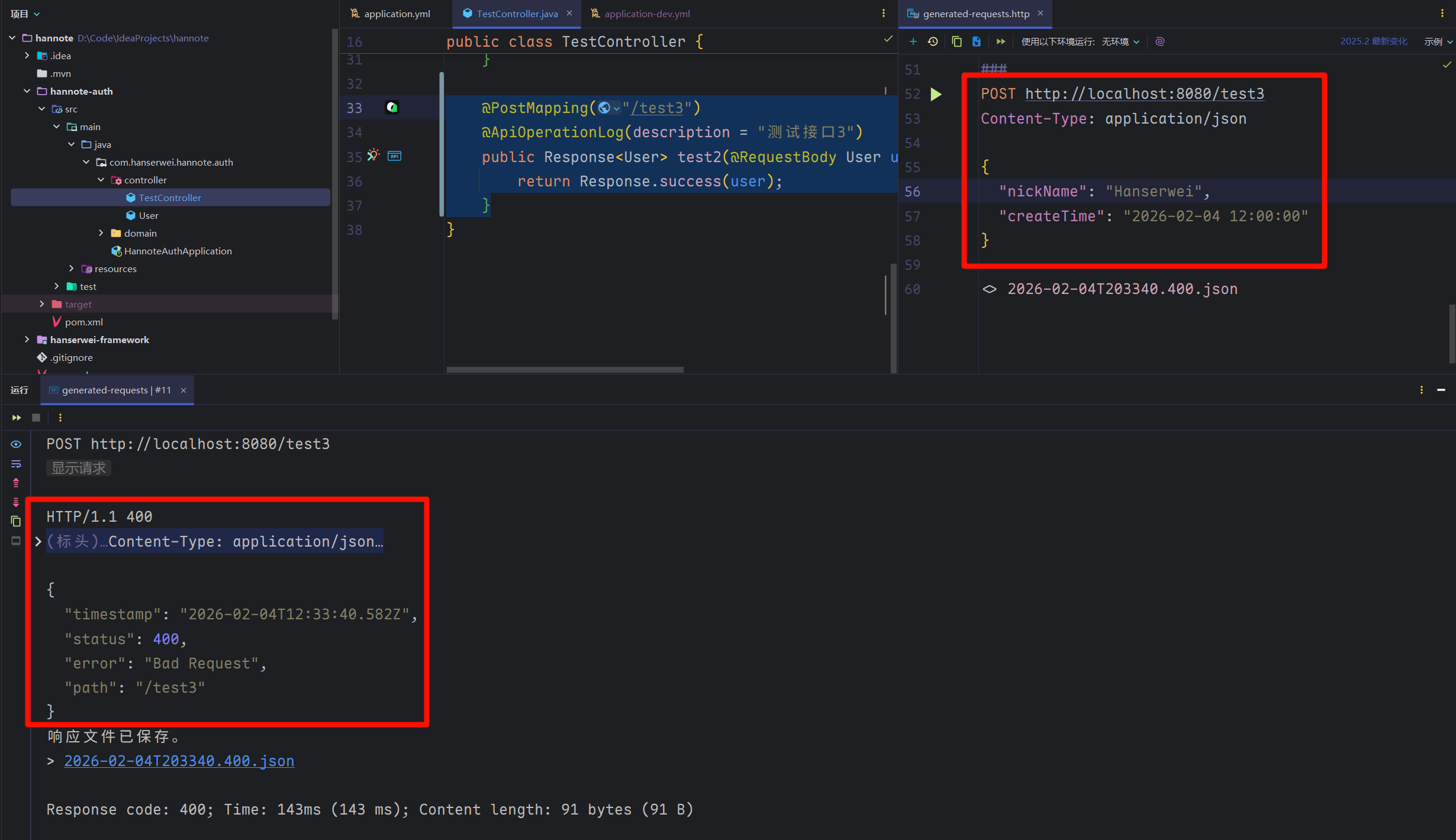
再来看看后端控制台信息,有如下一行警告信息:
JSON parse error: Cannot deserialize value of type `java.time.LocalDateTime` from String "2026-02-04 12:00:00": Failed to deserialize `java.time.LocalDateTime` (with format 'ParseCaseSensitive(false)(Value(Year,4,10,EXCEEDS_PAD)'-'Value(MonthOfYear,2)'-'Value(DayOfMonth,2))'T'(Value(HourOfDay,2)':'Value(MinuteOfHour,2)[':'Value(SecondOfMinute,2)[Fraction(NanoOfSecond,0,9,DecimalPoint)]])'): (java.time.format.DateTimeParseException) Text '2026-02-04 12:00:00' could not be parsed at index 10]
提示我们 JSON 解析错误,无法将
2026-02-04 12:00:00字符串解析为java.time.LocalDateTime日期类。
2. 自定义 Jackson 配置
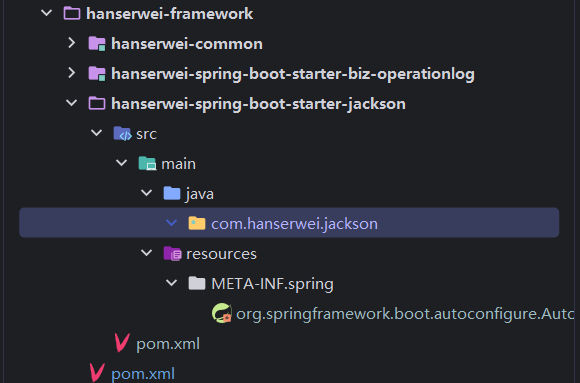
这个我们直接把这个 Jackson的配置类封装为一个starter,这样方便我们在不同的服务中引入!首先我某地 hanserwei-framework下新建 hanserwei-spring-boot-starter-jackson模块:
pom文件如下:
<project xmlns="http://maven.apache.org/POM/4.0.0" xmlns:xsi="http://www.w3.org/2001/XMLSchema-instance"
         xsi:schemaLocation="http://maven.apache.org/POM/4.0.0 http://maven.apache.org/xsd/maven-4.0.0.xsd">
    <modelVersion>4.0.0</modelVersion>
    <!-- 父项目配置 -->
    <parent>
        <!-- 组织ID -->
        <groupId>com.hanserwei</groupId>
        <!-- 父项目artifactId -->
        <artifactId>hanserwei-framework</artifactId>
        <!-- 版本号,使用变量引用 -->
        <version>${revision}</version>
    </parent>

    <!-- 当前模块的artifactId -->
    <artifactId>hanserwei-spring-boot-starter-jackson</artifactId>
    <!-- 打包方式为jar包 -->
    <packaging>jar</packaging>

    <!-- 项目名称,引用artifactId -->
    <name>${project.artifactId}</name>
    <!-- 项目描述 -->
    <description>自定义JacksonStarter</description>

    <!-- 项目属性配置 -->
    <properties>
        <!-- 源代码编码格式 -->
        <project.build.sourceEncoding>UTF-8</project.build.sourceEncoding>
    </properties>

    <!-- 依赖管理 -->
    <dependencies>
        <!-- hanserwei通用模块依赖 -->
        <dependency>
            <groupId>com.hanserwei</groupId>
            <artifactId>hanserwei-common</artifactId>
        </dependency>
        <!-- Spring Boot自动配置依赖 -->
        <dependency>
            <groupId>org.springframework.boot</groupId>
            <artifactId>spring-boot-autoconfigure</artifactId>
        </dependency>
    </dependencies>
</project>
我们先在 hanserwei-common的 constant包下定义一下我们常用的几个日期格式:
package com.hanserwei.framework.common.constant;

import java.time.format.DateTimeFormatter;

/**
 * @author hanser
 */
public interface DateConstants {

    /**
     * DateTimeFormatter:年-月-日 时:分:秒
     */
    DateTimeFormatter DATE_FORMAT_Y_M_D_H_M_S = DateTimeFormatter.ofPattern("yyyy-MM-dd HH:mm:ss");

    /**
     * DateTimeFormatter:年-月-日
     */
    DateTimeFormatter DATE_FORMAT_Y_M_D = DateTimeFormatter.ofPattern("yyyy-MM-dd");

    /**
     * DateTimeFormatter:时:分:秒
     */
    DateTimeFormatter DATE_FORMAT_H_M_S = DateTimeFormatter.ofPattern("HH:mm:ss");

    /**
     * DateTimeFormatter:年-月
     */
    DateTimeFormatter DATE_FORMAT_Y_M = DateTimeFormatter.ofPattern("yyyy-MM");
}
然后回到我们的 CustomJacksonConfiguration 类中,Jackson3的配置方式和 Jackson2有些许不同,直接看我的代码,我代码中会有详细的注释:
package com.hanserwei.jackson.config;

import com.hanserwei.framework.common.constant.DateConstants;
import org.springframework.boot.autoconfigure.AutoConfiguration;
import org.springframework.context.annotation.Bean;
import tools.jackson.databind.DeserializationFeature;
import tools.jackson.databind.SerializationFeature;
import tools.jackson.databind.ext.javatime.deser.LocalDateDeserializer;
import tools.jackson.databind.ext.javatime.deser.LocalDateTimeDeserializer;
import tools.jackson.databind.ext.javatime.deser.LocalTimeDeserializer;
import tools.jackson.databind.ext.javatime.deser.YearMonthDeserializer;
import tools.jackson.databind.ext.javatime.ser.LocalDateSerializer;
import tools.jackson.databind.ext.javatime.ser.LocalDateTimeSerializer;
import tools.jackson.databind.ext.javatime.ser.LocalTimeSerializer;
import tools.jackson.databind.ext.javatime.ser.YearMonthSerializer;
import tools.jackson.databind.json.JsonMapper;
import tools.jackson.databind.module.SimpleModule;

import java.time.LocalDate;
import java.time.LocalDateTime;
import java.time.LocalTime;
import java.time.YearMonth;
import java.util.TimeZone;

/**
 * @author hanser
 */
@AutoConfiguration
public class CustomJacksonConfiguration {

    @Bean
    public JsonMapper jsonMapper() {
        SimpleModule customModule = new SimpleModule();
        // 支持 LocalDateTime、LocalDate、LocalTime
        customModule.addSerializer(LocalDateTime.class, new LocalDateTimeSerializer(DateConstants.DATE_FORMAT_Y_M_D_H_M_S));
        customModule.addDeserializer(LocalDateTime.class, new LocalDateTimeDeserializer(DateConstants.DATE_FORMAT_Y_M_D_H_M_S));
        customModule.addSerializer(LocalDate.class, new LocalDateSerializer(DateConstants.DATE_FORMAT_Y_M_D));
        customModule.addDeserializer(LocalDate.class, new LocalDateDeserializer(DateConstants.DATE_FORMAT_Y_M_D));
        customModule.addSerializer(LocalTime.class, new LocalTimeSerializer(DateConstants.DATE_FORMAT_H_M_S));
        customModule.addDeserializer(LocalTime.class, new LocalTimeDeserializer(DateConstants.DATE_FORMAT_H_M_S));
        // 支持 YearMonth
        customModule.addSerializer(YearMonth.class, new YearMonthSerializer(DateConstants.DATE_FORMAT_Y_M));
        customModule.addDeserializer(YearMonth.class, new YearMonthDeserializer(DateConstants.DATE_FORMAT_Y_M));


        return JsonMapper.builder()
                // 在反序列化时,忽略在 JSON 中存在但 Java 对象中不存在的属性,防止报错
                .disable(DeserializationFeature.FAIL_ON_UNKNOWN_PROPERTIES)
                // 在序列化时,允许序列化空的 POJO 类(没有属性的类),防止报错
                .disable(SerializationFeature.FAIL_ON_EMPTY_BEANS)
                // 设置默认时区为东八区(北京时间)
                .defaultTimeZone(TimeZone.getTimeZone("GMT+8"))
                // 添加自定义模块
                .addModule(customModule)
                // 自动查找并添加所有可用的 Jackson 模块
                .findAndAddModules()
                .build();
    }
}
但是,现在有个问题,在之前 hanserwei-common 公共模块中,我们封装了一个 JsonUtils 工具类,里面的序列化、反序列是有重复定义的,怎么能统一复用上面的呢? 这样就不用适配多处了,代码看起来也优雅很多。
为了解决上面提到的问题,我们可以在 JsonUtils 工具类中,定义一个 init() 初始化方法,代码如下:
package com.hanserwei.framework.common.util;

import tools.jackson.databind.json.JsonMapper;

/**
 * JSON 工具类,提供对象与 JSON 字符串之间的转换功能
 *
 * @author hanser
 */
public class JsonUtils {

    /**
     * 初始化 Jackson 的 JsonMapper 实例
     */
    private static JsonMapper JSON_MAPPER = new JsonMapper();

    /**
     * 初始化:统一使用 Spring Boot 个性化配置的 ObjectMapper
     *
     * @param jsonMapper 自定义的 JsonMapper 实例
     */
    public static void init(JsonMapper jsonMapper) {
        JSON_MAPPER = jsonMapper;
    }

    /**
     * 将对象序列化为 JSON 字符串
     *
     * @param object 需要转换的对象
     * @return 转换后的 JSON 字符串
     */
    public static String toJsonString(Object object) {
        return JSON_MAPPER.writeValueAsString(object);
    }
}
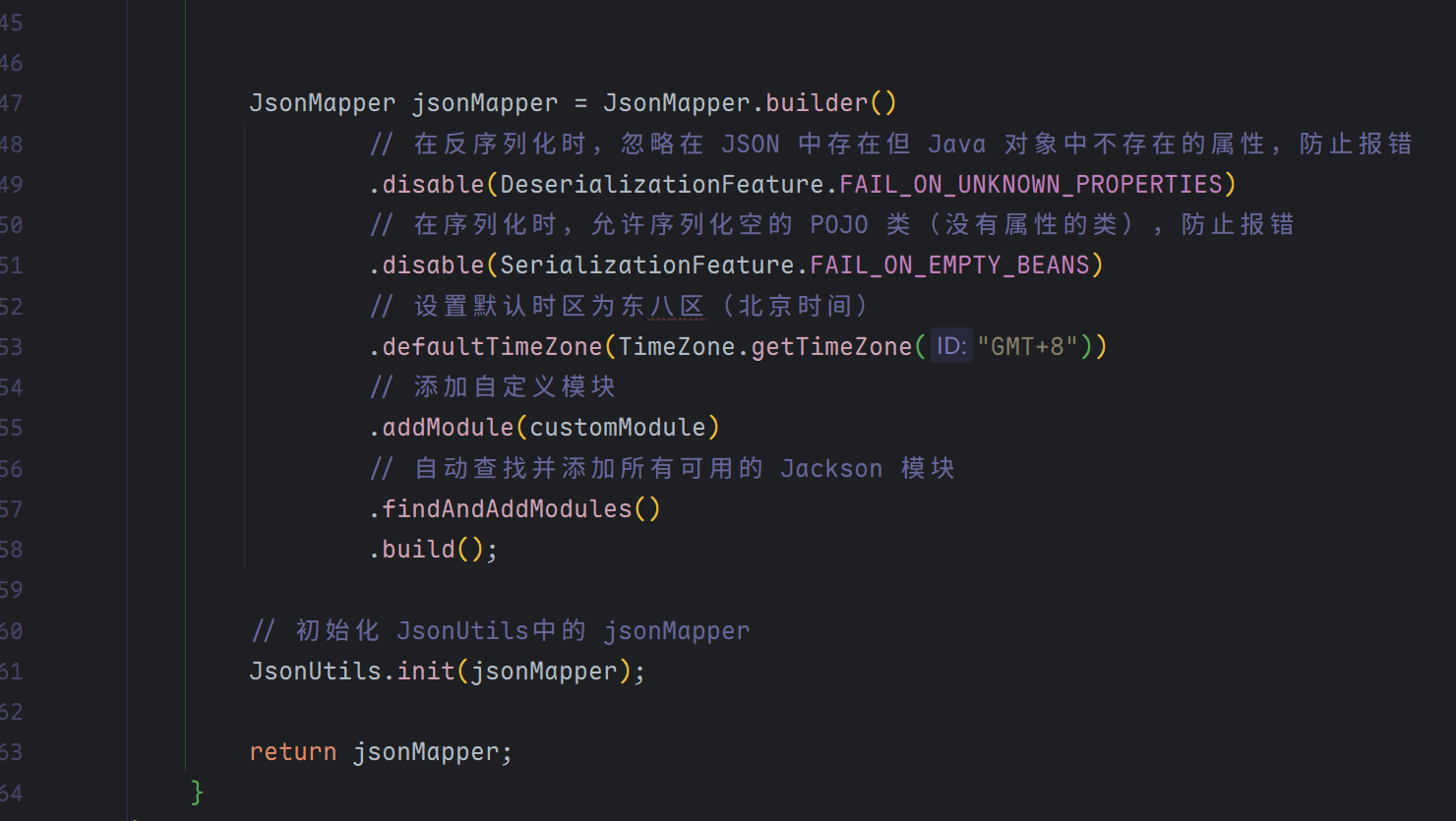
然后在 CustomJacksonConfiguration注入bean的时候调用一下 init方法:
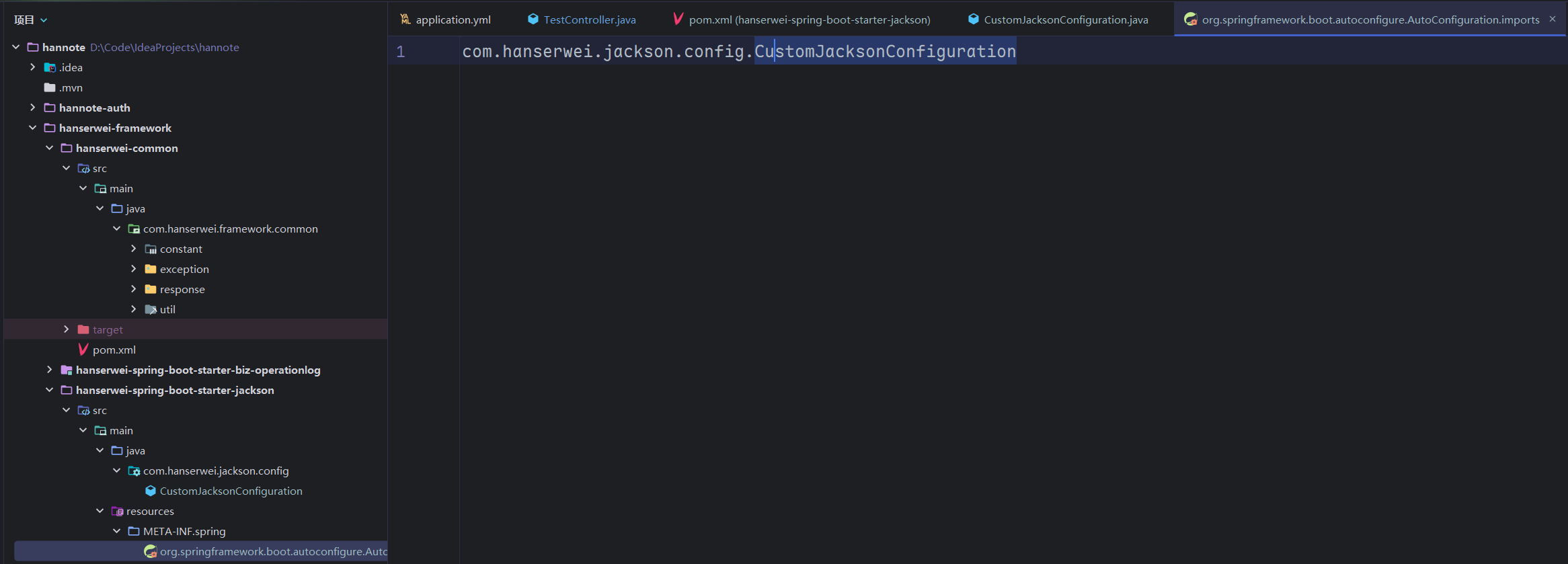
最后一步,在 org.springframework.boot.autoconfigure.AutoConfiguration.imports里面导入自动配置类的全类名:
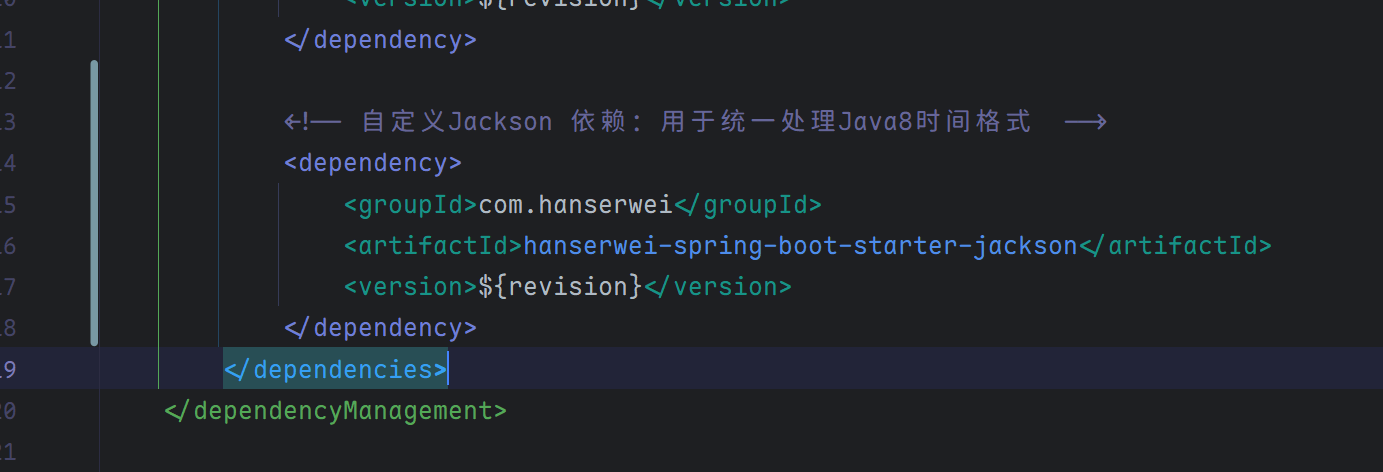
为了方便在其他模块导入这个starter,我们在最外层的pom文件中定义这个starter的版本!
<dependency>
    <groupId>com.hanserwei</groupId>
    <artifactId>hanserwei-spring-boot-starter-jackson</artifactId>
    <version>${revision}</version>
</dependency>
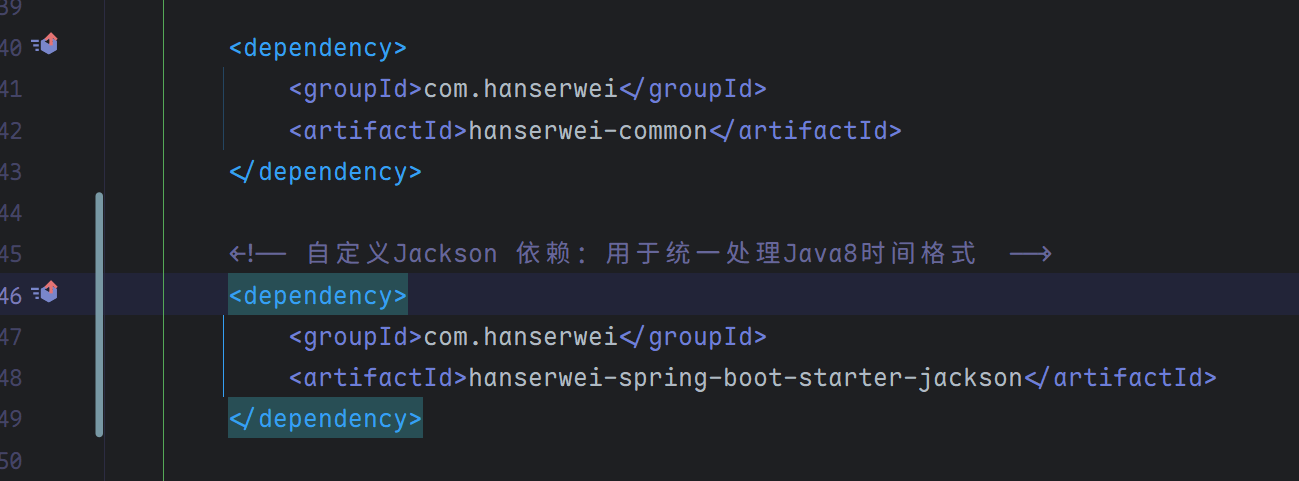
然后在 hannote-auth服务中导入我们定义的starter:
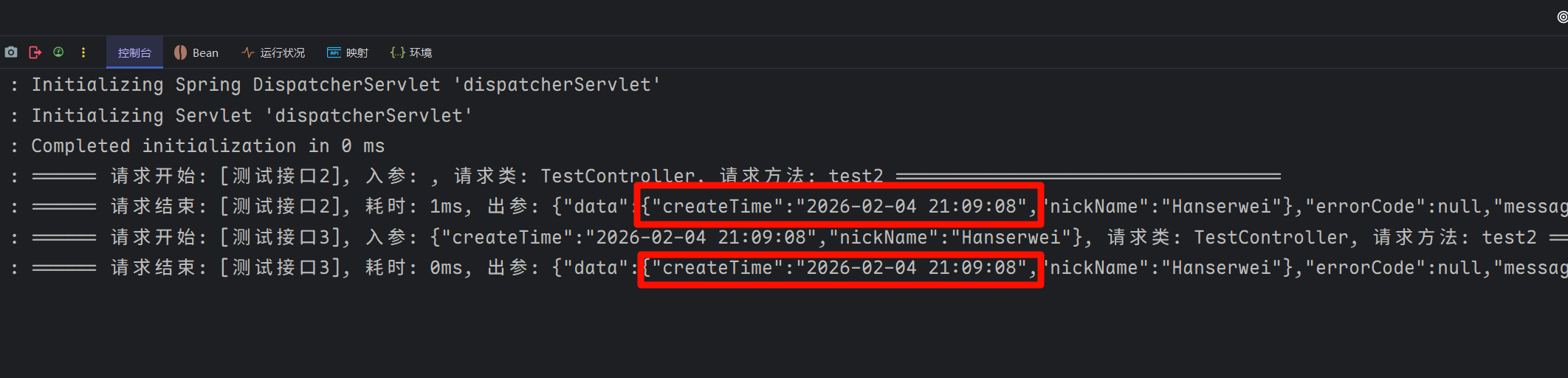
这个时候我们重启一下项目,试验一下!
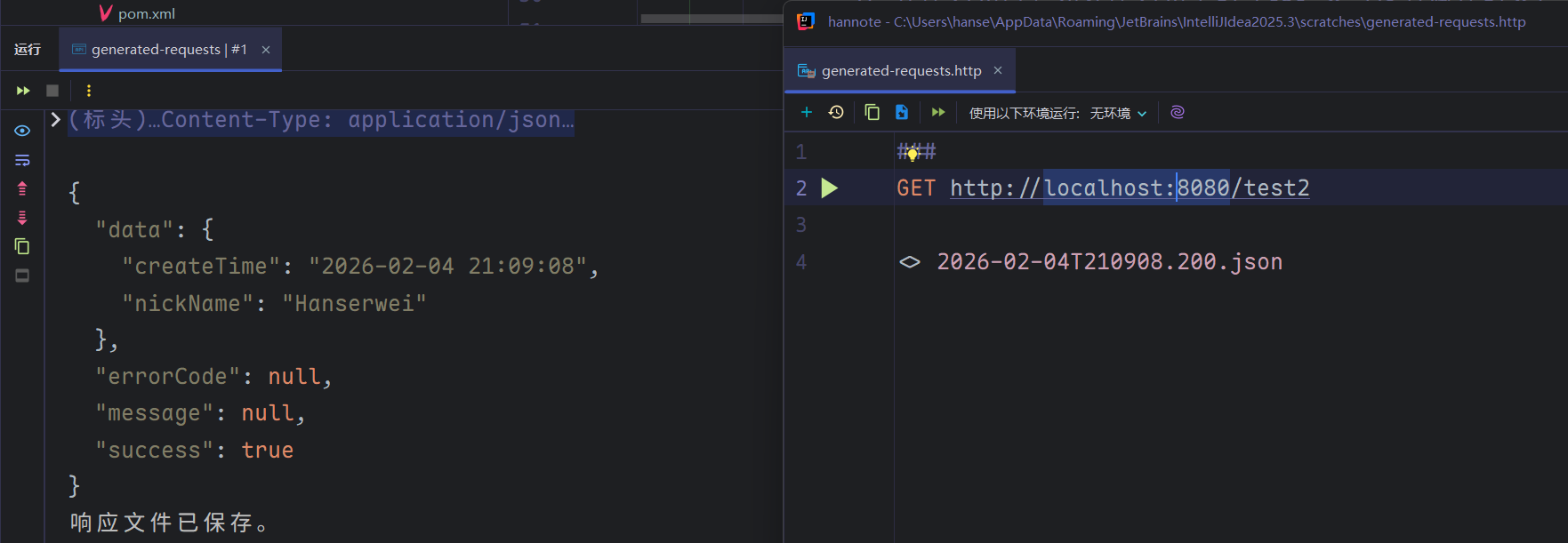
入参也没问题:
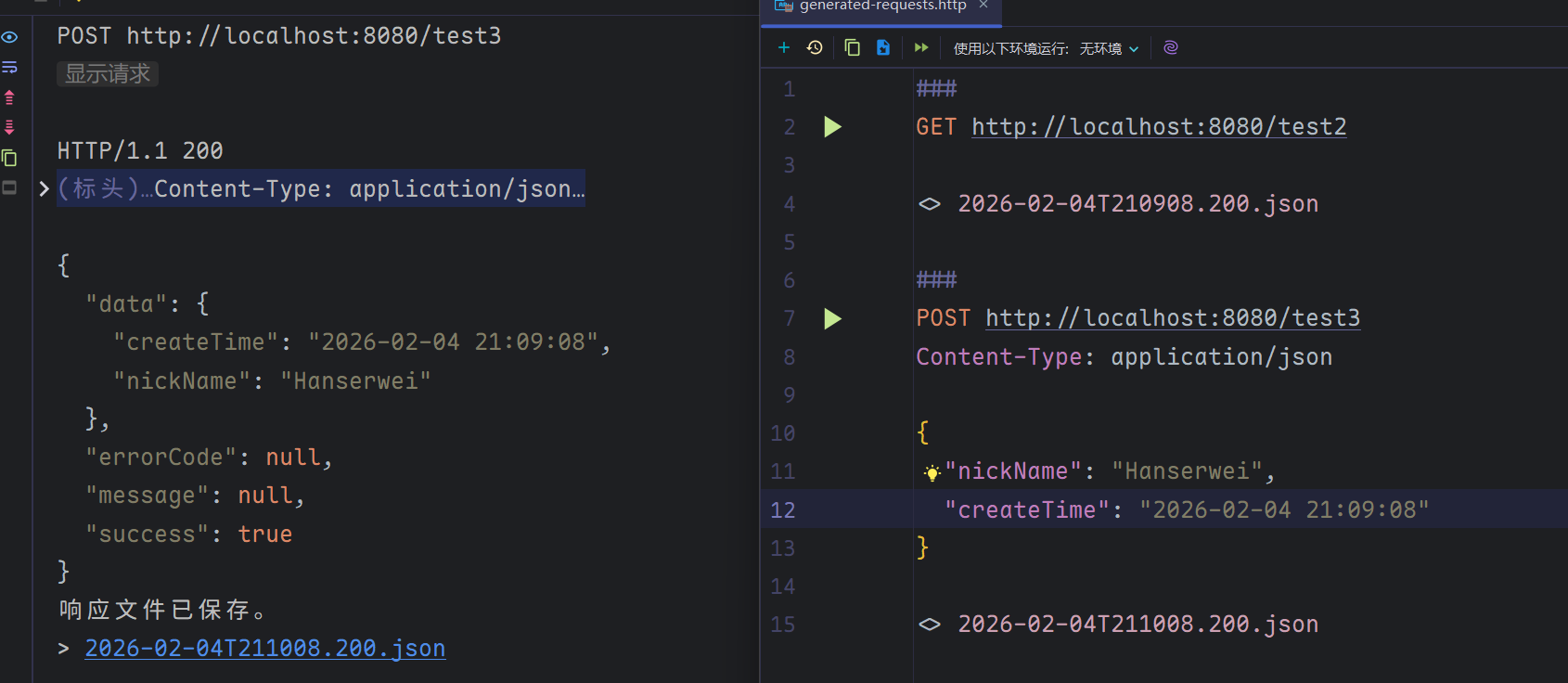
AOP切面日志也没问题: